skip to main | skip to sidebar
Showing posts with label Windows 8. Show all posts

Friday, August 31, 2012

How enable Hibernate option Your Windows 8

0 comments
Computer hibernation means unsaved data and open program before shutting down and restoring all running power back on.

How enable Hibernate option on your computer flow the step:

     Step1: Go to Setting > Control panel ->Clicks power option.


    Step2 :Click on chose what power button does.
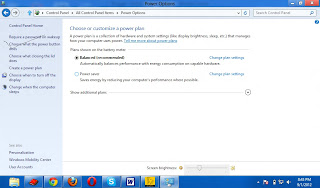
   Step 3: Mark on Hibernate and save.

Friday, April 27, 2012

Windows 8 Consumer Preview

0 comments

Microsoft has released latest version of operating system Windows 8  .  This operating system  running with 32 bit and 64 bit hardware. Windows 8 can run on tablet PC  and laptop computer. It is faster than other windows operating system. This system is possible to use in touch screen pc.

Windows 8 New Features


1. Deduction in boot time: New operating system approximate boot time is more than 8 seconds.  It is very effective for all users.


2. Metro Interface:  Windows 8 start with new features and easy to use.  This operating system is fully easy and ease all users.

3. Better Touch Skin:  Microsoft new windows operating system is sensitive as well. Users not need to keyboard. They will easily operate it use their fingers.

4. Windows Explorer  New:  New Internet Explorer are included this operating system. It is easily possible to use offline web application.

5. Invention For Modern Generation:  Windows 8 is awesome invention for modern computing.